LinkedIn Learning: A Practical Career Growth Guide
How to use LinkedIn Learning for career growth: pick skills, follow learning paths, add certificates to your profile and build a weekly study routine.

LinkedIn Learning is a library of video courses on business, technology and creative skills, and it works best when you treat it as a career tool rather than a Netflix-style library. Pick one target role, follow a learning path for it, and put the completed certificates on your profile. This guide shows how to do that step by step.
What is LinkedIn Learning and who is it for?
LinkedIn Learning grew out of the older Lynda.com library and is now connected to your LinkedIn profile. Courses are short, taught by industry practitioners, and split into small videos you can finish in a lunch break. The topics range from Excel and project management to Python, UX design, video editing and leadership.
It suits three kinds of people. Employees who want a promotion or a move into a new team, freelancers who need a clearer skill set to show clients, and students or graduates who want something practical on top of a degree. It is less suited to deep academic study, where a university course or a book will go further.
How do you choose the right skills to learn?
The most common mistake is to start with whatever looks interesting. Start instead from the job. Open five job ads for the role you want in the next 12 months and write down the skills that appear in at least three of them. That list is your curriculum.
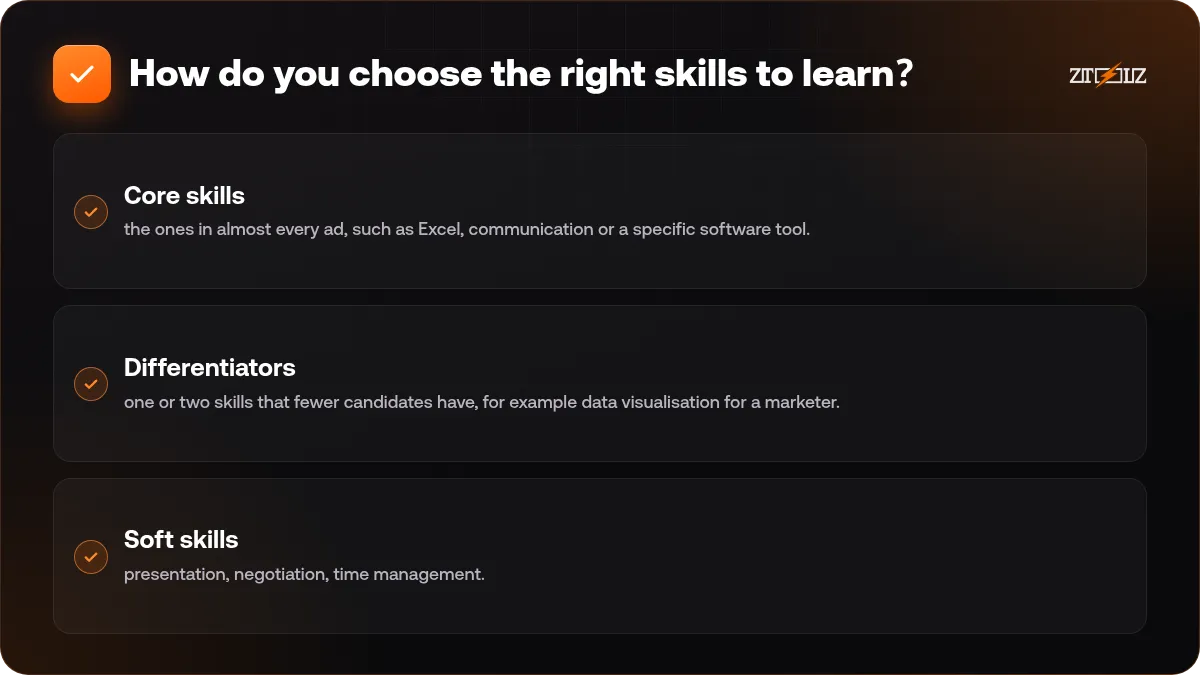
- Core skills: the ones in almost every ad, such as Excel, communication or a specific software tool. Learn these first.
- Differentiators: one or two skills that fewer candidates have, for example data visualisation for a marketer.
- Soft skills: presentation, negotiation, time management. They rarely get you hired alone, but they decide who gets promoted.
Limit yourself to one core skill and one differentiator at a time. Three courses finished beat twelve courses started.
How do learning paths work?
A learning path is a curated sequence of courses on one goal, such as becoming a project manager or learning data analysis. Instead of searching for the next course yourself, you follow the order the path gives you. That removes the hardest part of self-study, which is knowing what comes next.
- Search for your target role or skill and filter by learning paths.
- Open the path and check the total hours. Divide by the hours you can give each week to estimate the finish date.
- Skim the first course. If the level feels too easy or too hard, look for a neighbouring path.
- Add the path to your saved list so it is the first thing you see next time.
Paths are a starting point, not a rule. If you already know a topic, skip ahead to the courses that are new to you.
Do LinkedIn Learning certificates help your profile?
When you finish a course you can receive a certificate of completion and add it to the licences and certifications section of your LinkedIn profile. Recruiters who search by skill can see it, and it shows you invest in learning. Be realistic though: a certificate of completion proves you studied, not that you can do the job. It is a small positive signal, not a qualification on its own.
To make it count, pair each certificate with proof. If you finished a data analysis path, publish one small project: a cleaned dataset, a dashboard, a short write-up of what you found. Link it from your profile. A hiring manager who sees the certificate and the project understands the skill much better than from the certificate alone.
Add a certificate only after you have used the skill once on something real. A profile with five relevant certificates and two projects looks stronger than one with thirty certificates and nothing built.
A weekly routine that actually works
Consistency matters more than long sessions. A realistic plan for someone with a job looks like this:
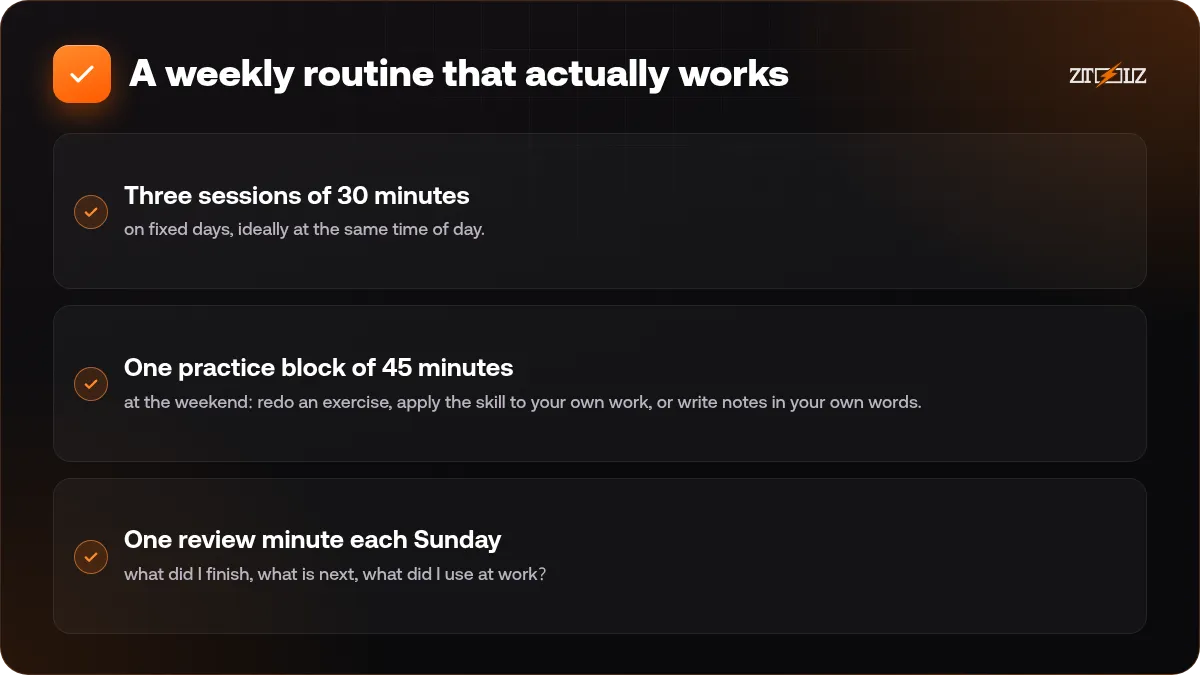
- Three sessions of 30 minutes on fixed days, ideally at the same time of day.
- One practice block of 45 minutes at the weekend: redo an exercise, apply the skill to your own work, or write notes in your own words.
- One review minute each Sunday: what did I finish, what is next, what did I use at work?
Take notes by hand or in a notes app while you watch. Pause the video and try things in the software. Passive watching feels productive but you will forget most of it within a week.
How does it compare with other learning platforms?
LinkedIn Learning is strongest on workplace skills and software tutorials, with consistent video quality and a clear link to your profile. For deeper technical material, interactive coding practice is often better: see our guide to Educative for coding interviews. For university-style courses with graded work, platforms such as Coursera fit more naturally, and our comparison Udemy vs Coursera vs Skillshare explains the differences.
Many learners combine two: one platform for the career path, one for hands-on practice in their field.
Mistakes to avoid
- Collecting courses in a list and never starting them.
- Learning only the interesting parts and skipping the exercises.
- Finishing a course and not updating your CV or profile that same week.
- Switching targets every month. Give one direction at least eight weeks.
LinkedIn Learning on ZTOOLZ: we offer shared access to LinkedIn Learning through platform-owned accounts, opened from the ZTOOLZ Chrome extension or secure browser, so it is a shared access, not a personal account. See the LinkedIn Learning tool page for our current price and how it opens. If you also want hands-on coding practice, add Educative to a custom plan with the + button, or look at the All In One plans. Shared accounts have a few simple habits worth following, listed in our account security guide.
FAQ
Is LinkedIn Learning worth it for a beginner?
Yes, if you follow a learning path with a clear goal. The short videos and consistent teaching style make it easy to start, but you still need to practise on your own work to keep what you learn.
Can I add LinkedIn Learning certificates to my CV?
You can list them under training or courses, and add them to your LinkedIn profile. Put the most relevant two or three first and remove ones unrelated to the job you are applying for.
How long does a learning path take?
It depends on the path. Check the total hours shown on its page and divide by the hours you can study weekly. Most people finish a short path in a few weeks with three sessions per week.
Does LinkedIn Learning teach Arabic-speaking audiences?
Most courses are in English, with subtitles available on many of them. It is a good way to improve professional English at the same time as the skill itself.
Should I choose LinkedIn Learning or Coursera?
Choose LinkedIn Learning for fast, practical workplace skills and tools. Choose Coursera when you want university-style courses with assignments. Many learners use both for different goals.