
Everything you need to know about this product.
Efficiently manage your disks and optimize system performance with AOMEI Partition Assistant Professional, now available at Ztoolz. This comprehensive solution provides you with full control over your hard disk partition management, ensuring maximum efficiency and data security. Elevate your PC experience to the next level with this reliable partitioning tool.
What is AOMEI Partition Assistant Professional?
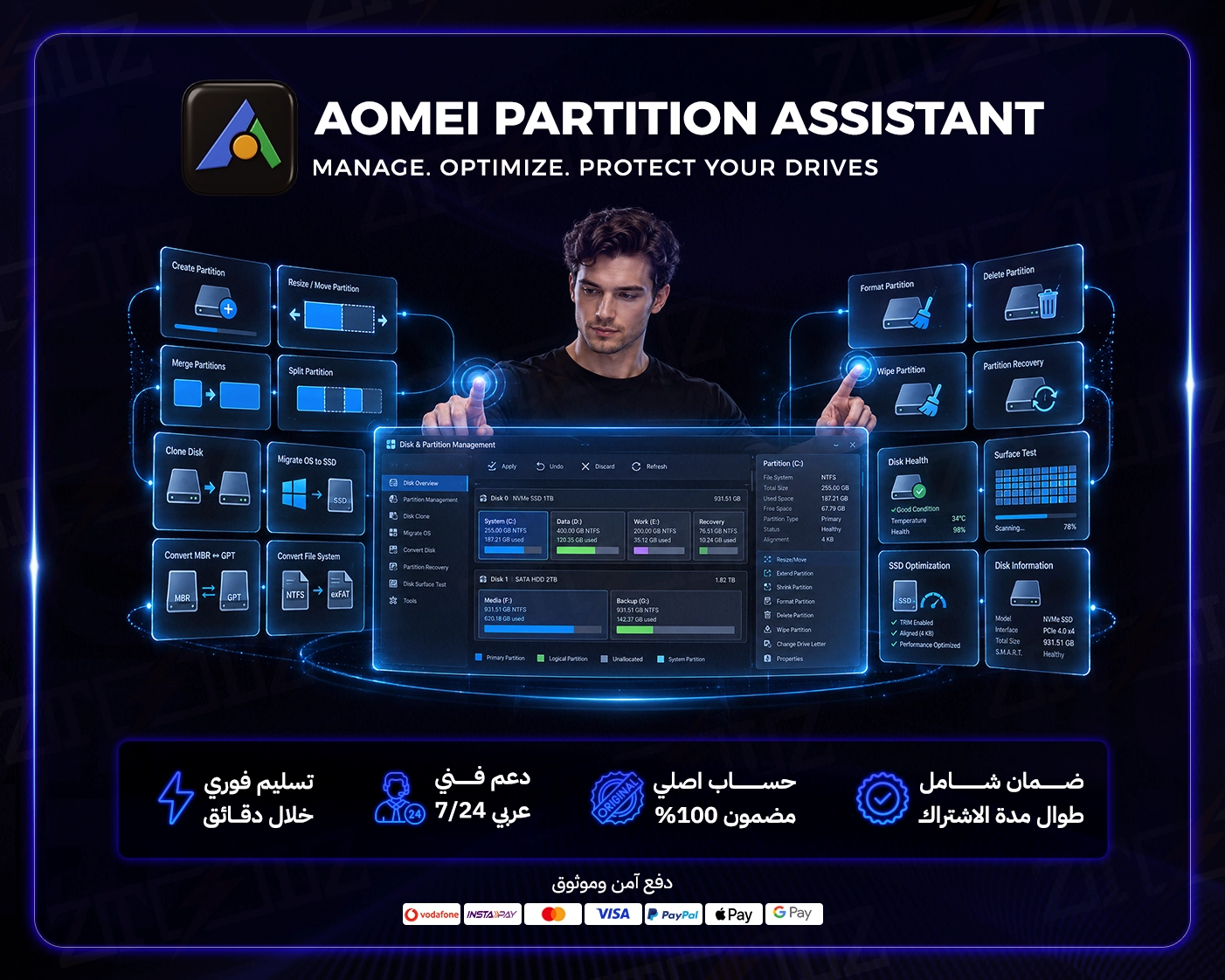
AOMEI Partition Assistant Professional is a powerful partition management software designed for both home users and IT professionals. It allows you to easily manage your hard drive space, helping to keep your computer system running smoothly and efficiently. Whether you need to resize partitions, migrate OS, or convert disk types, this software provides the necessary tools.
Key Features
- Resize, move, merge, and split partitions without data loss.
- Migrate OS (operating system) from HDD to SSD or vice versa without reinstalling.
- Convert disk between MBR and GPT, dynamic disk to basic disk, and NTFS to FAT32.
- Create bootable media to manage partitions when the system fails to boot.
- Clone entire disk or specific partitions for hard drive upgrade or data backup.
- Securely wipe data from hard drive to ensure privacy before discarding a disk.
Who Is This Product For?
- Users looking to optimize their hard drive performance.
- Individuals who need to migrate their OS to a new SSD.
- Anyone seeking an easy-to-use solution for disk partition management.
- Professionals managing multiple disks or requiring advanced partitioning features.
What You Get From Ztoolz?
- A genuine license key and account for AOMEI Partition Assistant Professional.
- Instant delivery of your key via email immediately after purchase.
- Excellent technical support from the Ztoolz team to assist with any queries.
- Guaranteed product activation success with full support.
How Activation and Delivery Works?
- After completing your purchase, your license key will be sent to your registered email address.
- Follow the included instructions to download and install the software from the official website.
- Enter the provided license key to activate your copy of AOMEI Partition Assistant Professional.
Don't let disk management be a daunting task. Get AOMEI Partition Assistant Professional from Ztoolz today and enjoy unparalleled control over your digital storage.
What you'll get with every subscription?
Easy Partition Management
Effortlessly create, resize, move, merge, and split partitions.
OS Migration
Migrate OS from HDD to SSD or vice versa without reinstalling.
Disk Conversion
Safely convert disks between MBR and GPT, plus FAT32/NTFS conversion.
Lost Partition Recovery
Quickly and effectively restore deleted or lost partitions.
Disk/Partition Cloning
Clone an entire disk or a specific partition for backup or upgrade.
Secure Data Wipe
Permanently wipe sensitive data from disks to protect your privacy.
The complete technical details.
- Version
- AOMEI Partition Assistant Professional
- License Type
- Activation Key
- License Duration
- Lifetime
- Number of Devices
- 1 PC (for personal use)
- Operating System
- Windows (All versions)
- Delivery Type
- Digital key via email
No reviews yet.
Be the first to review this product.
Quick answers to key questions.
Is this a genuine license?
Yes, this is an official, genuine lifetime activation key for AOMEI Partition Assistant Professional.How many devices can I activate with this key?
The key is designed for activation on a single PC (personal device).Can I upgrade to future versions?
Typically, the license is for the version you purchase and updates within that version. Major upgrades may require a new key purchase.What if I face activation issues?
Ztoolz support team is available to assist you with any activation issues you might encounter.Does AOMEI Partition Assistant Pro support Windows 11?
Yes, the software is fully compatible with Windows 11 and all previous Windows versions.Do I need an internet connection to use the software?
An internet connection is required for key activation and later for checking updates. Continuous connection is not needed for basic usage.
Products in the same category.