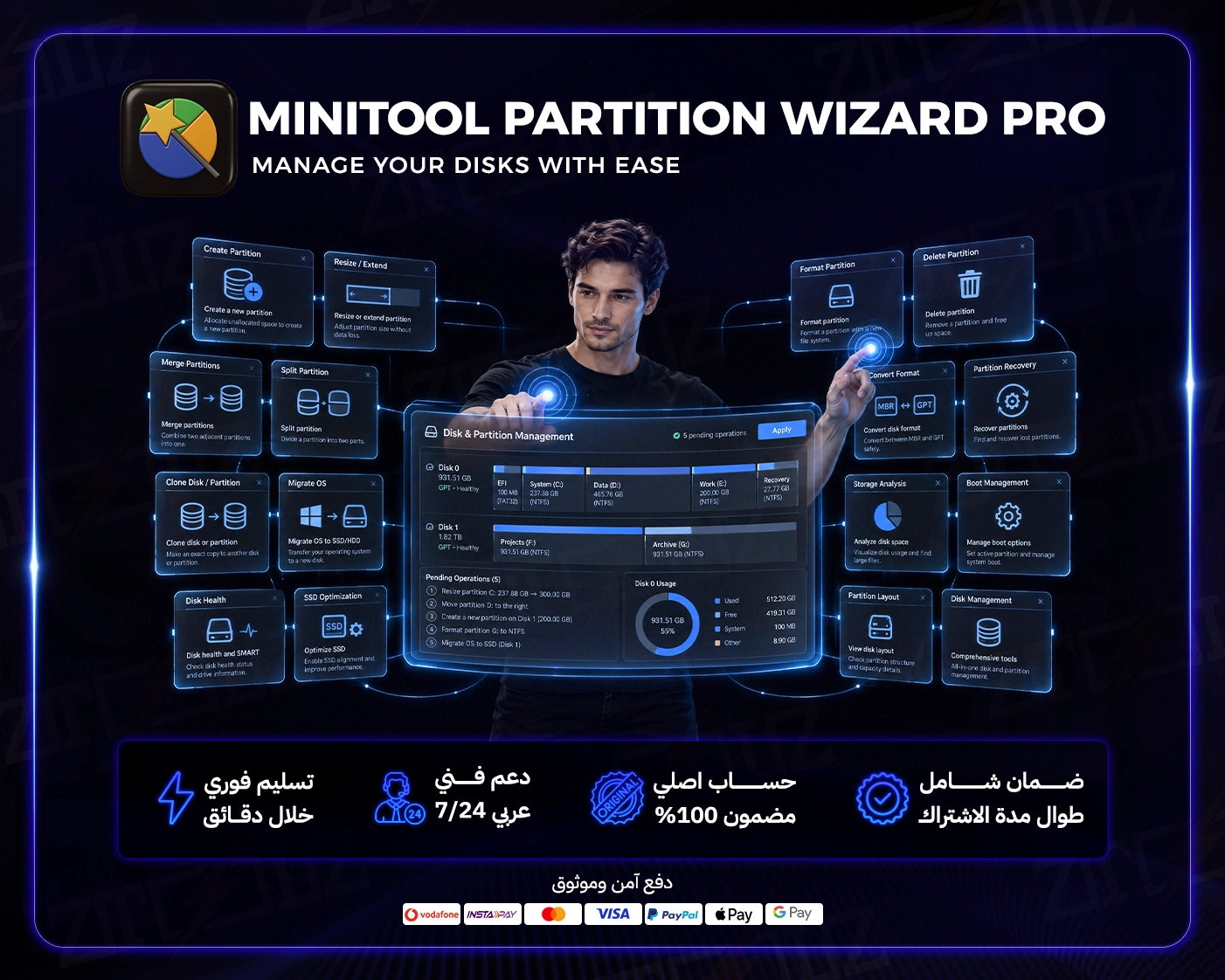
Unlock the full potential of your drives with MiniTool Partition Wizard Pro, now available at Ztoolz. This professional-grade software is your ultimate solution for efficient disk partition management, ensuring superior performance and data protection.
With its intuitive interface and powerful features, MiniTool Partition Wizard Pro provides everything you need for complete control over your storage space.
What is MiniTool Partition Wizard Pro?
MiniTool Partition Wizard Pro is a comprehensive partition management software that allows users to easily and safely organize and modify hard disk space. Whether you need to resize partitions, migrate OS to SSD, or recover lost data, this program provides robust tools to simplify these complex tasks.
Key Features
Resize and move partitions without data loss
Merge two or more partitions into a single, larger one
Convert disk between MBR and GPT without deleting partitions
Recover lost partitions and deleted files
Migrate OS from HDD to SSD for improved performance
Check disk surface and test disk performance
Who is this product for?
Professionals requiring advanced disk management tools
Home users looking to optimize storage space utilization
Anyone planning to upgrade their hard drive or SSD
Individuals needing to recover data from corrupted partitions
What you get from Ztoolz?
A genuine activation key for MiniTool Partition Wizard Pro
Instant delivery of your product key via email
Exceptional customer support to assist with any inquiries
100% activation guarantee for a worry-free experience
How activation and delivery works?
After purchase, you will instantly receive your activation key via email.
Download and install MiniTool Partition Wizard Pro from the official website.
Use the key to activate the software and start utilizing all features.
Achieve optimal disk management and enhanced performance with MiniTool Partition Wizard Pro from Ztoolz. Start transforming your digital storage experience today.
Features
Complete Partition Management
Create, delete, resize, merge, and split partitions with ease.
Lost Data Recovery
Recover deleted or lost files from damaged partitions.
OS Migration to SSD/HDD
Migrate your entire Windows OS to a new SSD or HDD quickly.
Disk Conversion
Convert disks between MBR and GPT or NTFS to FAT32 without data loss.
Disk/Partition Copy
Clone hard drives or partitions to create secure backups.
Disk Space Analyzer
Find large files and consumed spaces to optimize storage.
Specifications
Edition
Pro
License Duration
Lifetime
Number of Devices
1 PC
Activation Type
Digital Key
Supported Languages
Multi-language
Operating System
Windows 11/10/8.1/8/7
No reviews yet.
0.0/ 5
Based on 0 verified reviews
50%
40%
30%
20%
10%
Be the first to review this product.
FAQ
It's a comprehensive disk partition management software that allows you to partition disks, resize them, recover data, and migrate the OS easily.
Yes, the key is 100% genuine and grants you a lifetime license for the product, ensuring access to all updates and features.
The standard Pro license allows activation on one PC only.
Yes, MiniTool Partition Wizard Pro offers powerful features for recovering lost or deleted files from partitions.
The product key is delivered digitally to your email immediately after completing the purchase on Ztoolz.
The software is compatible with Windows operating systems including Windows 11, 10, 8.1, 8, and 7.
Delivery
How you receive it
1
Pay securely at checkout.
2
Your key appears in your account, under your orders.
3
Enter the key in the program's activation screen.
4
If the key does not activate, contact support and we replace it.
If it does not work and we cannot fix it, you get a refund under our refund policy