Icons8 Photos Downloader: Consistent Visuals for UI and Ads
Icons8 photos downloader guide: get photos, illustrations and icons in one consistent style, plan style packs, and use them in UI design and marketing.
The Icons8 photos downloader lets you paste an asset link and get photos, illustrations or icons from the Icons8 library, so you can keep a whole project in one visual style without buying a plan just for a few files. Icons8 is useful because its assets are designed as families: the same artist style repeats across icons, illustrations and even photos. This guide shows how to use that to your advantage.
What is Icons8 and what is it good at?
Icons8 is a design resource library. It is best known for icons in dozens of styles, but it also offers illustrations, photos, music and tools such as a background remover and an AI-based generator. Many designers choose it for one reason: consistency. When icons, illustrations and photos look as if they belong to the same project, your interface or campaign feels more professional immediately.
That strength shapes how you should work. Instead of searching for the perfect single asset, decide on a style family first and then collect what you need from it.
How does the Icons8 photos downloader work?
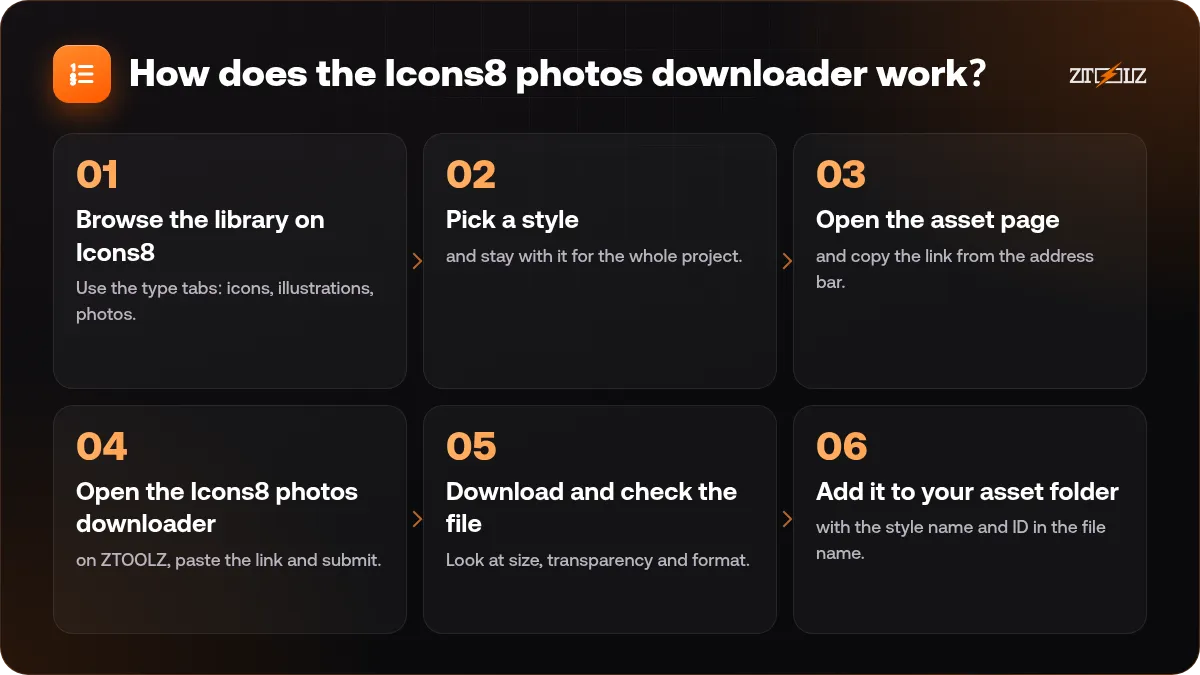
- Browse the library on Icons8. Use the type tabs: icons, illustrations, photos.
- Pick a style and stay with it for the whole project.
- Open the asset page and copy the link from the address bar.
- Open the Icons8 photos downloader on ZTOOLZ, paste the link and submit.
- Download and check the file. Look at size, transparency and format.
- Add it to your asset folder with the style name and ID in the file name.
If you want to explore the library freely, with all its tabs, there is also Icons8 account access opened through the extension, the secure browser or the cloud version.
Plan a style pack before you download
A style pack is a short list of rules that keeps your assets consistent. It takes ten minutes and saves hours.
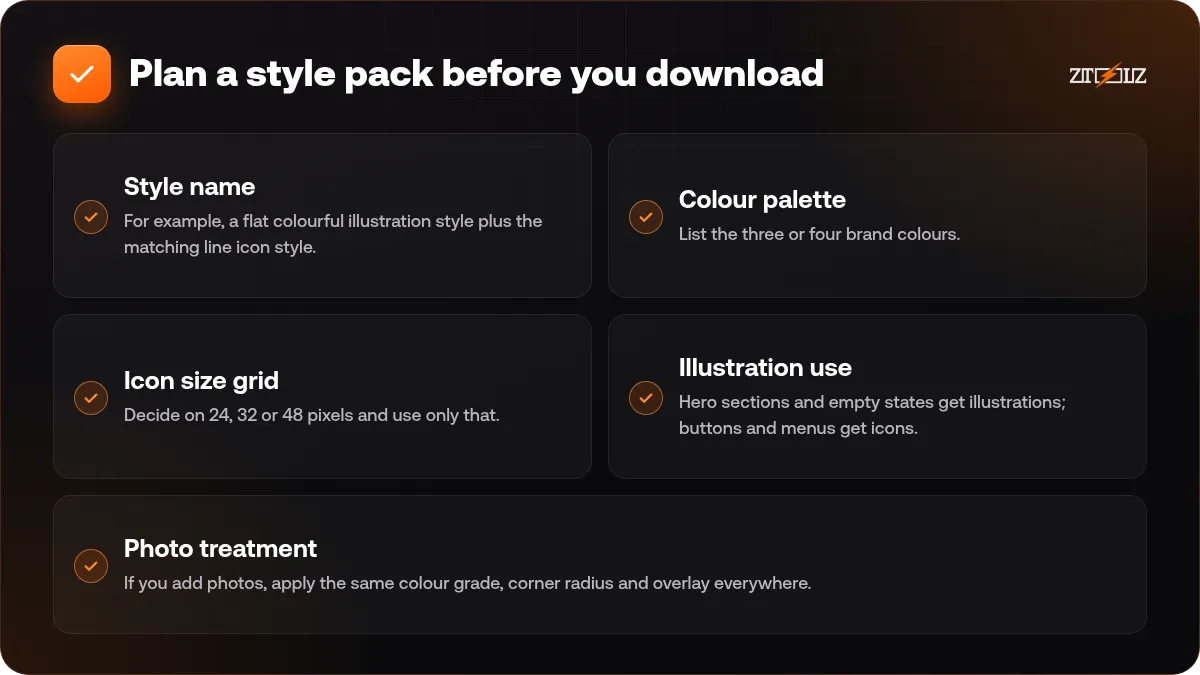
- Style name. For example, a flat colourful illustration style plus the matching line icon style.
- Colour palette. List the three or four brand colours. Check whether the assets let you recolour them.
- Icon size grid. Decide on 24, 32 or 48 pixels and use only that.
- Illustration use. Hero sections and empty states get illustrations; buttons and menus get icons.
- Photo treatment. If you add photos, apply the same colour grade, corner radius and overlay everywhere.
Keep this as a short note in your project. When a teammate joins, they can add assets without breaking the look.
Using Icons8 assets in UI design
Interface design is where consistent assets pay off most.
Icons
Use one style across navigation, buttons, forms and empty states. Make sure the icon has an obvious meaning, and pair it with a text label wherever the action is not universal. A magnifier for search is clear; an abstract shape for settings is not.
Illustrations
Use them at points where a user pauses: onboarding, empty lists, success messages and error pages. Keep them away from dense screens such as tables and dashboards.
Photos
In product and service interfaces, photos work for testimonials, team pages and content cards. Choose natural, uncluttered images, and keep faces of the same style to avoid a patchwork feeling.
For the colour and type side of a UI, our guide to colour and typography basics for designers is a good companion.
Using Icons8 assets in marketing
In marketing, consistency becomes recognisability. Your audience should identify your brand from the style alone.
- Social posts: create a template with fixed space for an illustration and a short headline. Rotate illustrations from the same style family.
- Presentations: use icons to turn bullet lists into visual rows. Three or four icons beat a wall of text.
- Email headers: a single, light illustration is faster to load than a heavy photo.
- Landing pages: pair benefits with matching icons and show the product itself with a real screenshot.
- Ads: keep one clear visual and a short line of text. Illustration can stand out in feeds full of photographs.
For layout ideas on ads, read our guide on designing ad creatives.
File formats and quality tips
Icons usually come as SVG or PNG, illustrations as SVG or PNG, and photos as JPG. Choose SVG when you want to recolour or scale, PNG for quick placement, and JPG for photos.
- Download PNG at a size at least twice the display size for sharp results on modern screens.
- Keep transparent PNGs on a flat background to check edges for halos.
- When using SVG on the web, optimise it and set width and height to avoid layout jumps.
- Store originals unchanged and work on copies.
Licence and attribution
Icons8 assets come with specific terms, and some uses may require attribution or may not be allowed, for instance redistributing assets as a pack or using them as the main element of a product you sell.
Read the licence terms shown for the asset, check whether attribution is required for your use, and keep a record of asset names and IDs in your project notes. Do not republish downloaded files as an icon or illustration pack.
To learn the common terms in simple language, see stock assets and licences explained.
Common mistakes
- Mixing line icons with filled icons in the same menu.
- Using three different illustration styles in one deck.
- Stretching an icon to fit a box.
- Choosing a trendy style that will look dated within a year.
- Forgetting to check attribution requirements.
How ZTOOLZ fits in: ZTOOLZ offers shared access to Icons8 through platform-owned accounts, either as a downloader page where you paste an asset link, or as account access opened with the extension, secure browser or cloud version. It is not a personal subscription, and you should check each asset's licence for your project. See the Icons8 photos downloader for our current price, or add it to a custom plan with the + button in the store.
FAQ
Can I download illustrations and icons, not only photos?
Yes, you can paste links to icons, illustrations and photos. Use the downloader that matches the type shown on the ZTOOLZ tool page.
Why choose Icons8 instead of mixing libraries?
Because its assets come in coordinated styles. This makes it easy to keep icons, illustrations and photos looking like one system.
Can I recolour the downloaded assets?
SVG files can be recoloured in a vector editor or in code. PNG and JPG files have limited colour editing, so choose SVG when colours matter.
Do I need to credit Icons8?
It depends on the asset and the licence terms. Check the asset page, and add a credit when it is required.
Is Icons8 good for print?
Vector files work well for print because they scale. For raster photos, check pixel dimensions against your print size, and read our guide on print and web files.